
TL;DR
- Small businesses can reduce cyberattacks and data loss by adopting simple, consistent security habits rather than complex tools or large security teams.
- Weaker defenses, outdated software, and poor monitoring make small businesses prime targets, with many facing serious financial consequences after attacks.
- Daily protection depends on basics such as strong passwords, updates, secure Wi-Fi, endpoint security, encryption, backups, and limiting access to sensitive data.
- A cyber-aware culture reduces risk by training employees to spot phishing, follow clear device and password policies, use approved sharing tools, and refresh learning regularly.
- An incident response plan, timely expert support, and routine reviews of security measures help businesses respond quickly, minimize damage, and speed up recovery.
How Small Businesses Can Prevent Cyberattacks and Data Loss
Cyberattacks are no longer rare for small businesses. In fact, a recent report shows that 81% of small firms experienced a cyber or data security incident in the past year, with many forced to raise prices to cover the financial fallout. This rising frequency of attacks highlights a simple reality: smaller teams often operate with limited time, budgets, and security expertise, which makes them attractive targets for attackers.
The encouraging part is that protection does not always require complex tools or large security departments. A few consistent, practical habits can significantly reduce the most common risks and strengthen day-to-day defenses. In this blog, we share a few cybersecurity tips for small businesses to help protect their data.
Understanding Cyber Risks for Small Businesses
Small businesses are often at greater risk because their defenses are usually weaker. Many still rely on outdated software, reuse old passwords, and depend on a single person to manage technology. These practices create clear gaps in security that attackers can exploit with very little effort. That is why small business data protection is far more important than many assume.
When systems are not properly secured or regularly monitored, they become easy targets. A Mastercard survey of more than 5,000 small and medium-sized business owners across four continents reports that 46 per cent have experienced a cyberattack on their current business. Among those that were attacked, nearly one in five later filed for bankruptcy or closed their business.
Many of these incidents began with basic issues such as phishing emails, insecure Wi-Fi, or unpatched devices, but the consequences extended to system lockouts, data loss, and severe financial stress, especially when businesses handle sensitive customer records, financial information, or protect healthcare data as part of their services.
This reality makes one point clear: cybersecurity for small businesses is now a core part of day-to-day operations, not an optional extra. Strong data security for small companies protects sensitive information, helps keep businesses running, and preserves customer trust. Even simple, consistent security habits can significantly reduce risk.
Protecting Devices, Accounts, and Data Daily
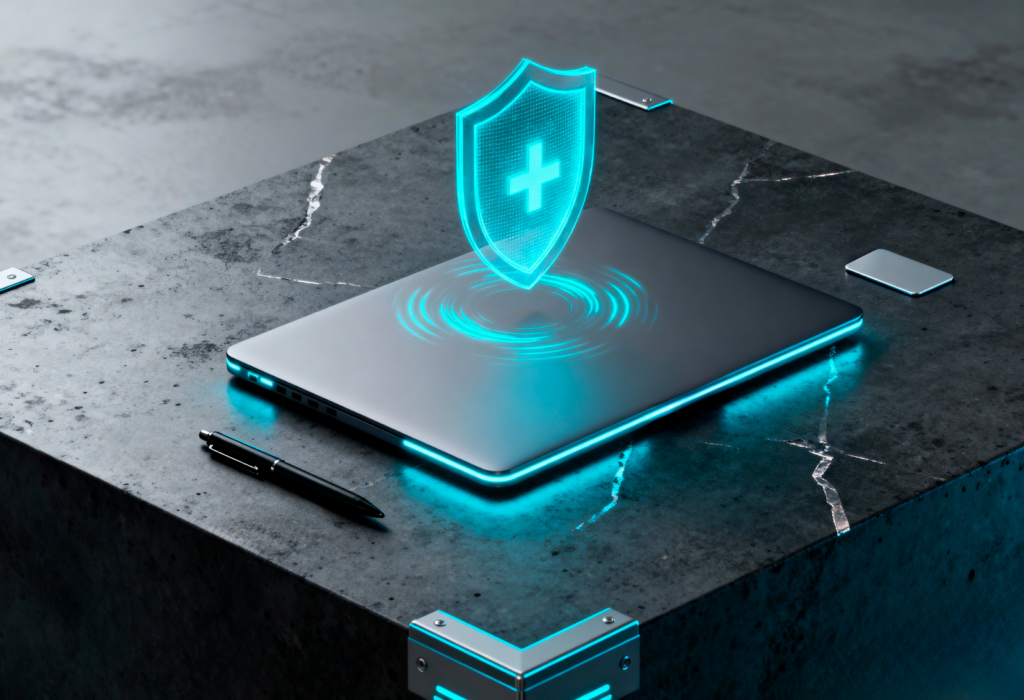
Data security for small companies starts with simple habits. Even these small changes in behavior can prevent significant losses.
The following quick practices serve as small business cybersecurity solutions that are easy to implement and highly effective:
1. Strengthen passwords and use multi-factor authentication
Strong passwords are the first barrier against attackers. Avoid short, common, or repeated passwords, and update old ones regularly. Add a second verification step through multi-factor authentication to make it much harder for unauthorized users to access accounts.
2. Keep systems and devices updated
Outdated software contains weaknesses that attackers actively look for. Turn on automatic updates for operating systems, browsers, and business applications so security patches are installed without delay.
3. Secure your Wi-Fi network
A poorly protected Wi-Fi network can open the door to intruders. Use unique, complex passwords, hide the network name if possible, and separate guest networks from internal business devices to reduce risk.
4. Use reliable endpoint security tools
Every device connected to your network should have trusted security software installed. Data security for small companies is often overlooked at the device level, and that gap makes businesses vulnerable. These tools help detect malware, block risky downloads, and flag suspicious activity early.
5. Monitor unusual activity
Unfamiliar login attempts, unexpected downloads, or sudden system changes should never be ignored. Investigate warning signs immediately to stop problems before they spread.
6. Encrypt and back up important data
Encrypt stored data on all devices to keep information safe even if a device is lost or stolen. Keep backups secure and updated regularly so operations can continue after an incident.
7. Limit access to sensitive information
Restrict important data to only those team members who genuinely need it. Fewer people handling essential information reduces the chances of accidental leaks or mishandling.
Also Read: Top 5 IT Support Tips for Manufacturers and Distributors
Creating a Cyber-Aware Company Culture
Strong security begins with people, not tools. Employees are often the biggest risk, so building awareness is essential:
- Train employees to identify phishing attempts: Show staff how to recognize suspicious emails, strange links, and unexpected attachments, and encourage them to report before clicking.
- Set clear policies for device use and passwords: Keep rules simple and clear: strong passwords, no sharing, limited personal device use, and care with public Wi-Fi.
- Encourage safe file sharing and cloud usage: Use approved platforms only, avoid personal apps for business data, and protect sensitive files during sharing.
- Regular security refreshers and simulated tests: Short training sessions and practice tests keep awareness high and help correct risky habits early.
Also Read: Data Breach Prevention Strategies in 2024 for Business
Preparing Your Business for Security Incidents

A clear incident response plan is essential. It should explain who is responsible for taking charge during an incident, how the issue will be reported, and which systems need to be checked first. Keep the recovery steps simple and easy to access so that anyone on the team can follow them without confusion.
There will be situations where professional help is necessary, especially if there are signs of ransomware, unfamiliar software spreading across the network, or systems behaving unpredictably. In such cases, cybersecurity specialists, such as Imagine IT, can help identify the source of the problem and guide the recovery process. They can also share practical IT support tips to help your team respond faster and avoid recurring issues.
Alongside this, make sure your security plans are reviewed and updated regularly. Updates are especially important whenever tools, staff, or data change, as each change introduces new risks. Staying alert and prepared may not guarantee that every threat can be avoided, but it does help reduce damage and speed recovery.
Together, these steps form practical cybersecurity tips that help small businesses respond confidently, limit disruptions, and protect their long-term stability.
Also Read: 10 Must-Follow Cybersecurity Best Practices 2026
Conclusion
Cybersecurity for small businesses is no longer a concern for large enterprises, but small- to mid-sized companies are also being attacked because they are easy to target. Most cyberattacks succeed because of fundamental security gaps within the company, and also because of the casual handling of high-risk data.
But cyberattacks can be prevented by protecting businesses that do not require complex systems with consistent practices: keeping passwords updated and strong, checking and updating all devices, and keeping data safe. This can stop most threats and prevent significant damage.
If you consider a cyberattack as a one-time setup, it’s not. It needs ongoing responsibility that protects the data and customers. If you want peace of mind and expert protection, Imagine IT is here to secure your systems, monitor threats, and keep your business protected around the clock.
You can always reach out to us for more cybersecurity tips for your business:
Toll Free: 866.978.3600
FAQs
Q1. What is the quickest cybersecurity upgrade a small business can make today?
Ans. The quickest and most basic cybersecurity upgrade is to enable multi-factor authentication for email, banking, and any system that contains sensitive data.
Q2. How can small businesses secure employee-owned devices?
Ans. Securing employee-owned devices requires strong passwords, device encryption, approved security software, and regular data checks.
Q3. Do small businesses need cyber insurance, and what does it cover?
Ans. Yes, it helps reduce financial risk. Policies often cover small business data protection, legal costs, system restoration, and business interruption after a breach.
Q4. How frequently should data be backed up?
Ans. At least once a day for critical systems. More frequent backups are recommended if your business updates customer records or financial data throughout the day.
Q5. What cybersecurity certifications are relevant for small business IT providers?
Ans. Common credentials include CompTIA Security+, CISSP, CISM, and CEH. For hands-on support, CompTIA CySA+ and Microsoft security certifications are also helpful.
